IoT Pro Tilt Module
Monitors and logs when the manhole cover is opened and closed.
Installation Guide
Before you begin
Before your first installation, complete the IoT Pro Quick Start in the office to familiarize yourself with the process
Safety First: Watch for traffic above and use proper traffic control/barriers while the cover is open.
Installation Methods
IoT Pro Mounting Options
The device is powered by a long-life non-rechargeable battery and supports different mounting options.
Manhole Cover Material Type | Recommended Methods | Installation Guide |
|---|---|---|
Metal | Magnets | |
Metal | Bolts and Nuts | |
Fiber Composite | Self-Drilling Screws |
Antenna Types
The device can be configured with different antenna types based on network availability:
Antenna Type | Description | Suitable For | Installation Guide |
|---|---|---|---|
Internal antenna | Compact, built-in antenna | Standard installations with adequate network signal | Not Applicable |
Short-angle antenna | Low-profile external antenna | Improved signal in challenging network locations without drilling the lid | Short-angle antenna (point upwards facing the lid) |
TTL antenna (Standard) | Through-the-lid, larger profile | Best signal improvement in challenging network locations requires drilling the lid Does not allow vehicles or people to walk over | |
TTL antenna (Drive-Over) | Through-the-lid, traffic-rated | Best signal improvement in challenging network locations requires drilling the lid Allows vehicles or people to walk over |
Sensor Calibration
Connect to the IoT Pro device using the mobile application as explained in IoT Pro Hardware Quick Start
Verify the device is securely mounted in its final position with the manhole cover closed
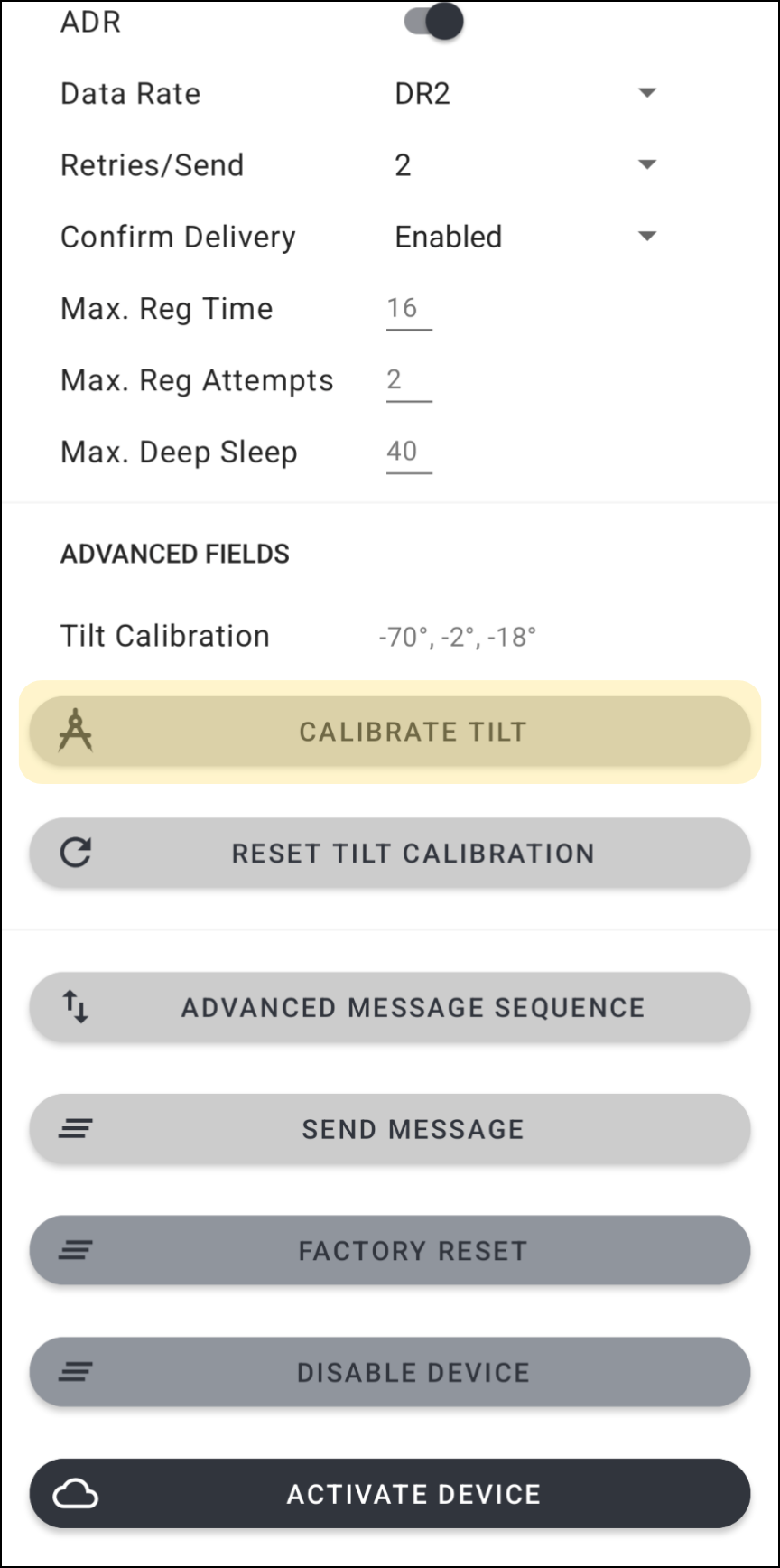
Press “Calibrate Tilt” and wait for “Tilt Calibration Successful” message to appear. The Tilt Calibration values will update automatically.
Testing and Commissioning
Initial Verification
Connect to the IoT Pro device using the mobile application
Confirm that Peripherals is OK
Verify the Application Data
Open the manhole - confirm Tilt Alarm shows ON
Close the manhole - confirm Tilt Alarm shows OFF
Software Platform Configuration
Log In to your IoT Pro Software Platform
Navigate to Assets
Create a new asset whilst taking particular note of the following settings:
Choose the Device ID based on the label on the device
Conclusion
Activate the IoT Pro Device and Send a Message as explained in IoT Pro Quick Start
Verify that all sensor readings appear correctly on the dashboard
Resume normal operation
Installation Complete!
Monitor your asset through the IoT Pro Software Platform.