Alert Settings
Overview
This page allows you to manage the alert settings for each asset you have access to.
You can also view and top up alert limits for WhatsApp, SMS, and phone notifications.
Alert options may vary depending on the asset’s profile and configuration.
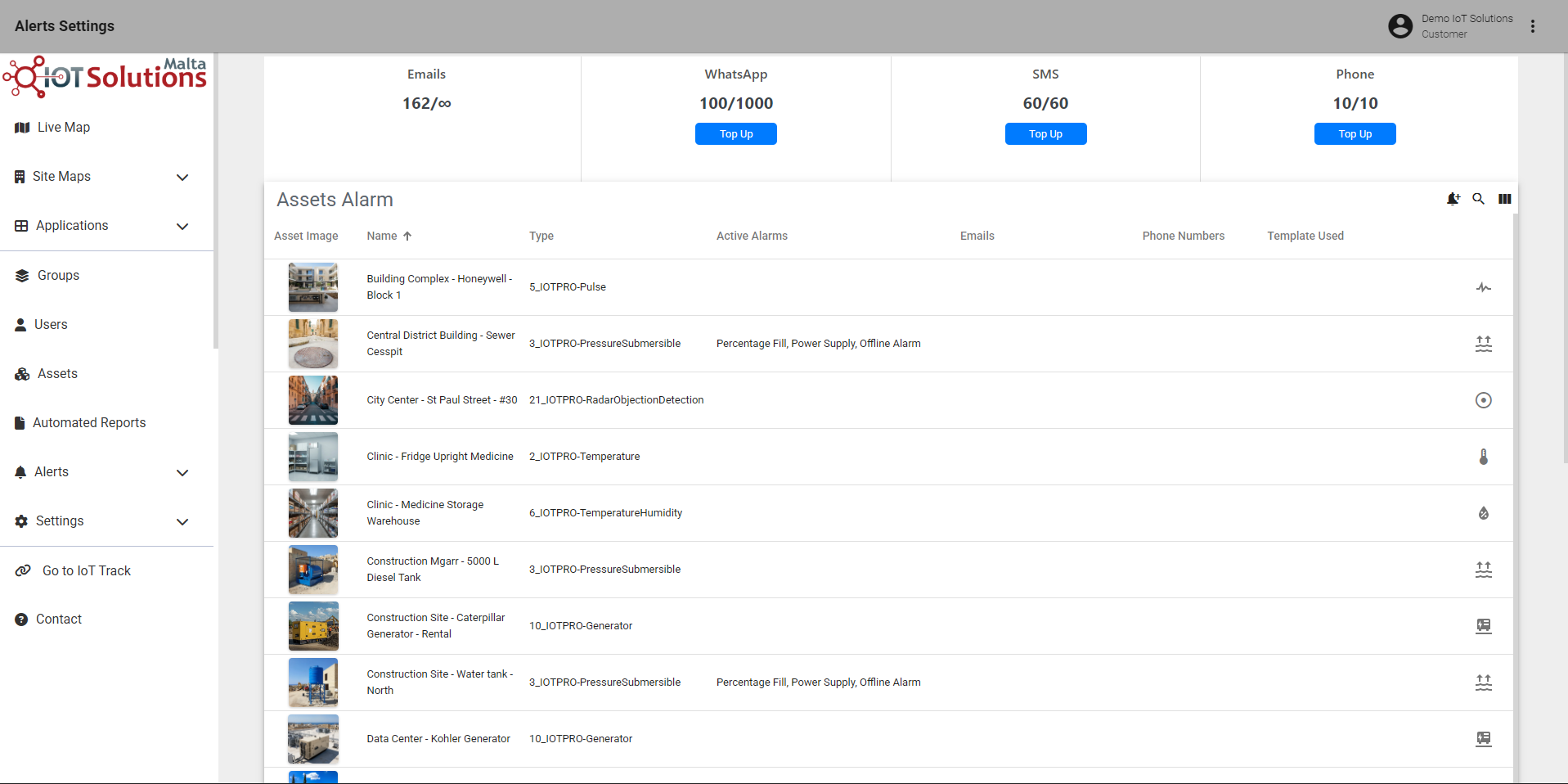
IoT Pro Platform - Alert Settings Page
Top Up Notification Limits
To top up your notification limits, click the blue Top Up button beneath the notification type you wish to add credit to.
A pop-up window will appear, similar to the example below, showing the notification type you are topping up and the associated cost.
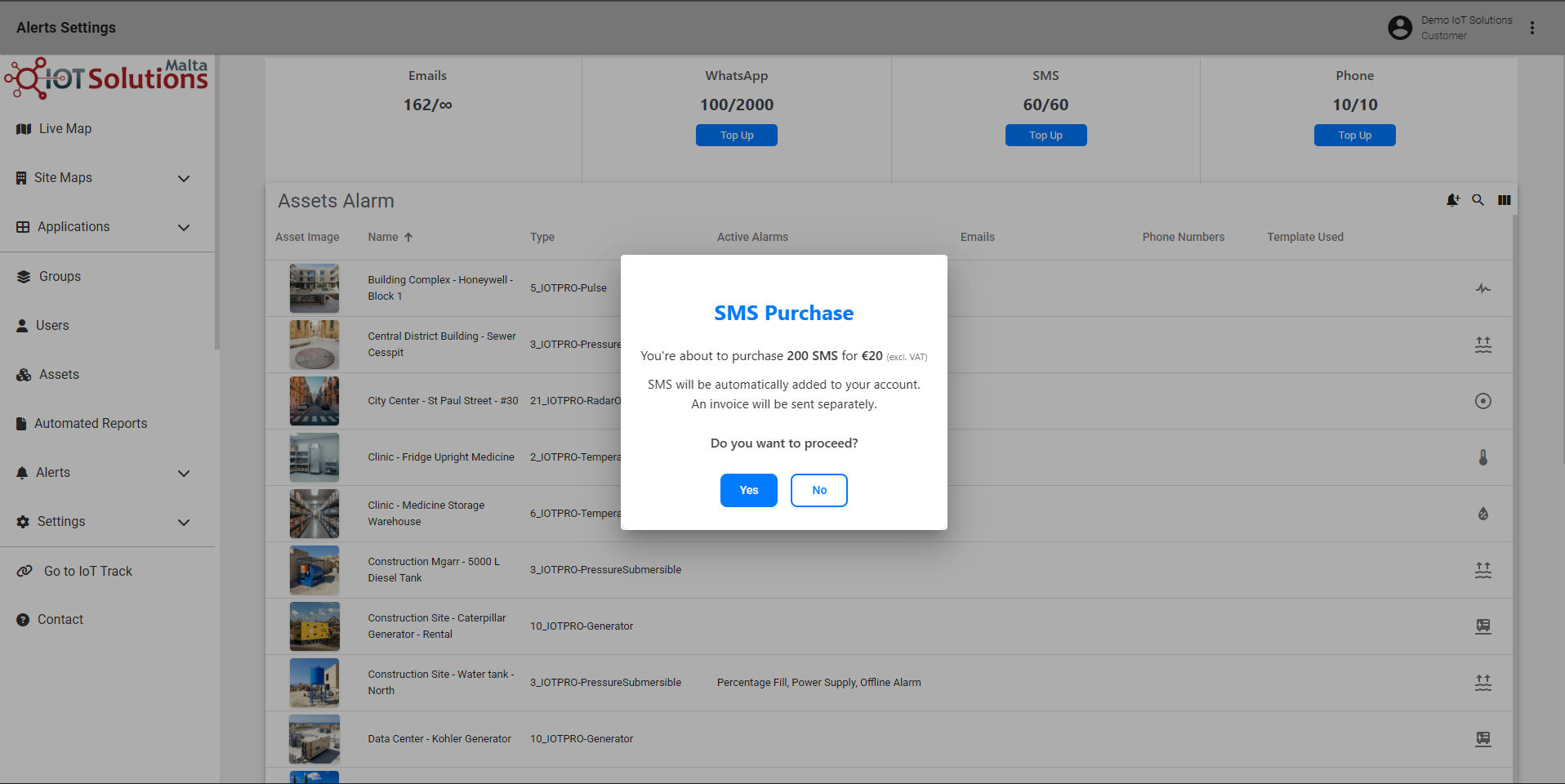
IoT Pro Platform - Top Up Prompt Example